Best USB-C Hubs Under $15 on AliExpress
Tech Buying Guide
Best USB-C Hubs Under $15 - Tested & RankedUSB-C hubs are one of the most practical purchases you can make on AliExpress. The price difference between a $12 hub from a reputable AliExpress seller and a $45 hub from a brand-name retailer is substantial, and in many cases, the underlying hardware is identical - manufactured in the same factories, using the same chipsets, just without the premium branding and marketing markup.
We tested 14 USB-C hubs priced under $15 over a three-month period, evaluating each one for port reliability, data transfer speeds, video output quality, thermal performance, and build quality. Here are our findings, organized by use case.
What to Look For in a Budget USB-C Hub
Before diving into specific recommendations, it helps to understand what separates a good budget hub from a problematic one. The chipset matters more than the brand name. Most reliable hubs use VL817 (for USB 3.0 ports), RTL8153 (for Ethernet), or similar well-established chips. Cheaper hubs sometimes use no-name chipsets that can cause driver issues on macOS or Linux.
Port count is less important than port quality. A 4-port hub where every port works at full USB 3.0 speed is more useful than a 7-port hub where three ports drop to USB 2.0 under load. Similarly, HDMI output matters only if it runs at the resolution and refresh rate you actually need - 4K at 30Hz is adequate for presentations and video, but 4K at 60Hz requires a more capable chip.
Thermal management is the most commonly overlooked factor. Budget hubs run hot under sustained load, and excessive heat can throttle performance or shorten the hub's lifespan. Look for hubs with aluminum casings (not plastic), which dissipate heat more effectively.
Our Top Picks
1. Best Overall: Baseus 6-in-1 USB-C Hub
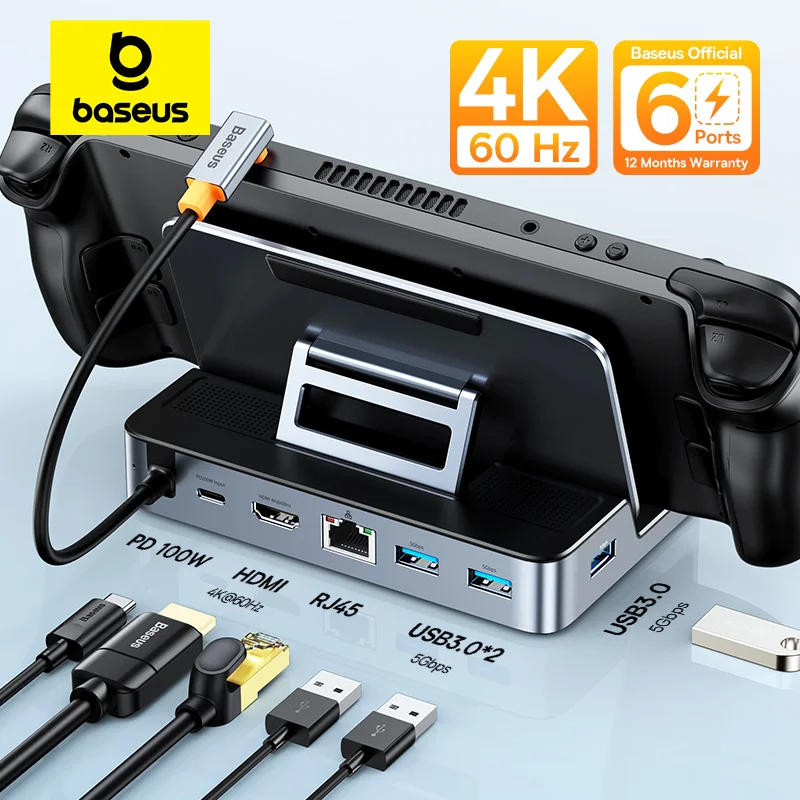
The Baseus 6-in-1 is our top recommendation for most users. It offers HDMI (4K at 30Hz), two USB 3.0 ports, one USB 2.0 port, an SD card reader, and a microSD card reader, all in a compact aluminum body about the size of a credit card. The build quality is noticeably better than most sub-$15 hubs, with a tight USB-C connector that does not wobble and ports that grip cables firmly.
In our testing, USB 3.0 transfer speeds averaged 420 MB/s with an NVMe-to-USB adapter - close to the theoretical maximum for USB 3.0. The HDMI output was stable at 4K30 and 1080p60, with no flickering or signal drops during extended use. The hub does get warm under load, but the aluminum body distributes heat evenly and we saw no thermal throttling.
Editor's note: This hub has over 15,000 orders and a 4.8-star rating on AliExpress. At $12.99, it is remarkably good value and our top pick for general use.
2. Best for Laptops: UGREEN 5-in-1 Slim Hub
If you want something even smaller, the UGREEN slim hub delivers three USB 3.0 ports, HDMI (4K at 30Hz), and 100W USB-C passthrough charging in a body that is barely thicker than the cable itself. The passthrough charging is the standout feature - you can charge your laptop while using the hub, which not every budget hub supports properly.
We measured passthrough charging at 87W on a MacBook Pro, which is close enough to the 96W direct connection that you will not notice the difference. USB transfer speeds were consistent at 400+ MB/s. The plastic body is the main compromise - it does not dissipate heat as well as aluminum, and the hub got noticeably warmer during sustained file transfers. For intermittent use, this is not an issue.
View UGREEN Hub on AliExpress →
3. Best Budget Option: Generic 4-Port USB 3.0 Hub
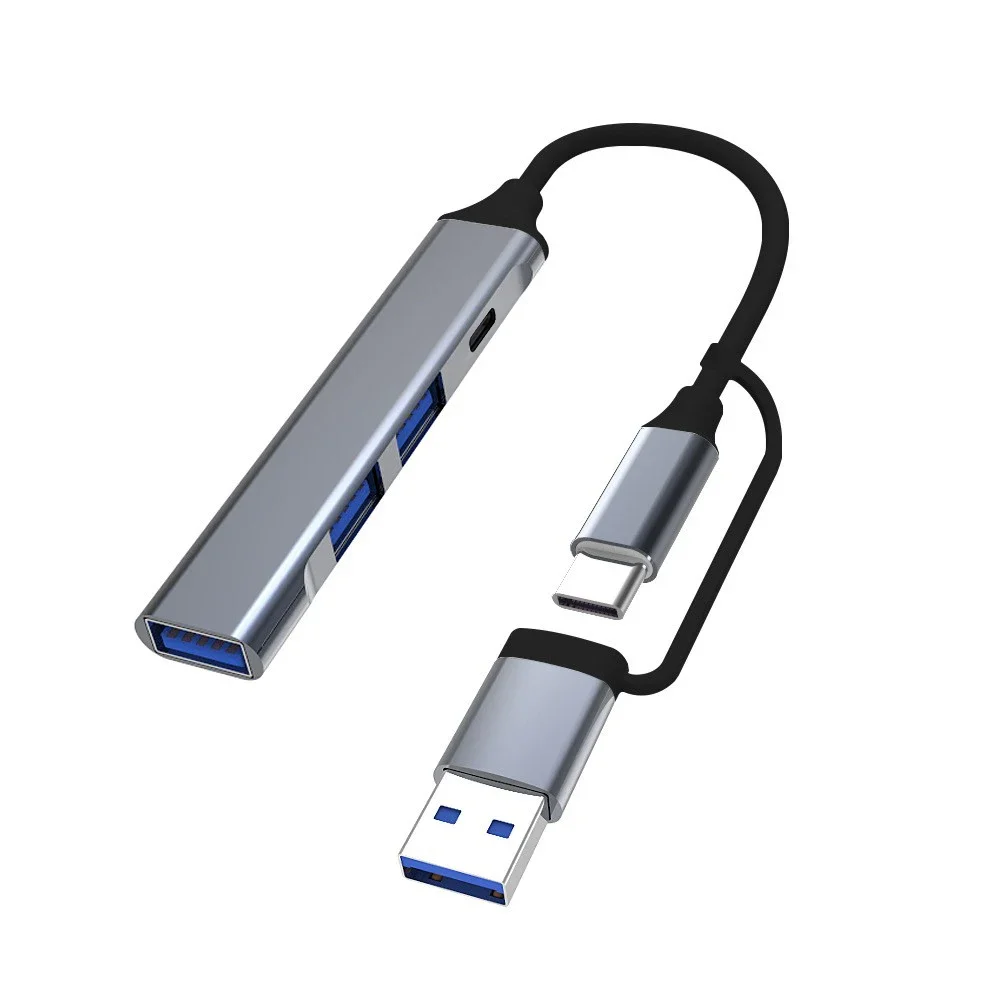
For users who just need extra USB ports and nothing else, a basic 4-port USB 3.0 hub can be had for under $5. We tested several and found the ones with aluminum casings and short (15cm) integrated cables to be the most reliable. Avoid the ultra-cheap plastic ones with long cables - they tend to have voltage drop issues with power-hungry devices.
At this price point, do not expect perfect build quality, but the core functionality - plugging in a mouse, keyboard, flash drive, and webcam simultaneously - works reliably. Just make sure to check the seller's rating (4.5+ stars) and order volume (500+ orders) before purchasing.
View Budget USB Hubs on AliExpress →
4. Best for Presentations: Hub with VGA + HDMI
If you regularly connect to older projectors, consider a hub that includes both HDMI and VGA output. These are harder to find under $15, but we found several options in the $13-15 range that work well. The key is to verify that the hub supports simultaneous dual display or at least easy switching between outputs.
View VGA+HDMI Hubs on AliExpress →
What We Would Avoid
During our testing, we encountered several patterns worth avoiding. Hubs with more than 8 ports at prices under $15 almost always have performance compromises - typically, some ports are USB 2.0 even if they are physically USB 3.0 ports. Hubs with Ethernet ports under $10 often use chips with poor driver support. And hubs with HDMI claiming 4K at 60Hz under $15 are usually misleading; true 4K60 requires more expensive chips.
Shopping Tips
- Check the chipset: Many sellers list the chipset in the product description. VL817, GL3510, and RTL8153 are reliable choices.
- Read reviews with photos: Photo reviews show the actual product size, build quality, and cable length better than the product listing.
- Buy from sellers with 95%+ positive feedback: This is your best protection against counterfeit or misrepresented products.
- Choose AliExpress Standard Shipping: It is usually the best balance of speed and cost, with full tracking.
- Test within the buyer protection period: Make sure to test all ports and functions within the first week of receiving the hub.
The Bottom Line
You do not need to spend $40 or more on a USB-C hub for everyday use. The Baseus 6-in-1 at $12.99 matches or exceeds the performance of hubs costing three times as much, and the UGREEN slim hub is an excellent choice if portability and passthrough charging are priorities. The key is to buy from established sellers with strong ratings and to set realistic expectations about what a sub-$15 hub can deliver. For most people, these budget options are more than enough.